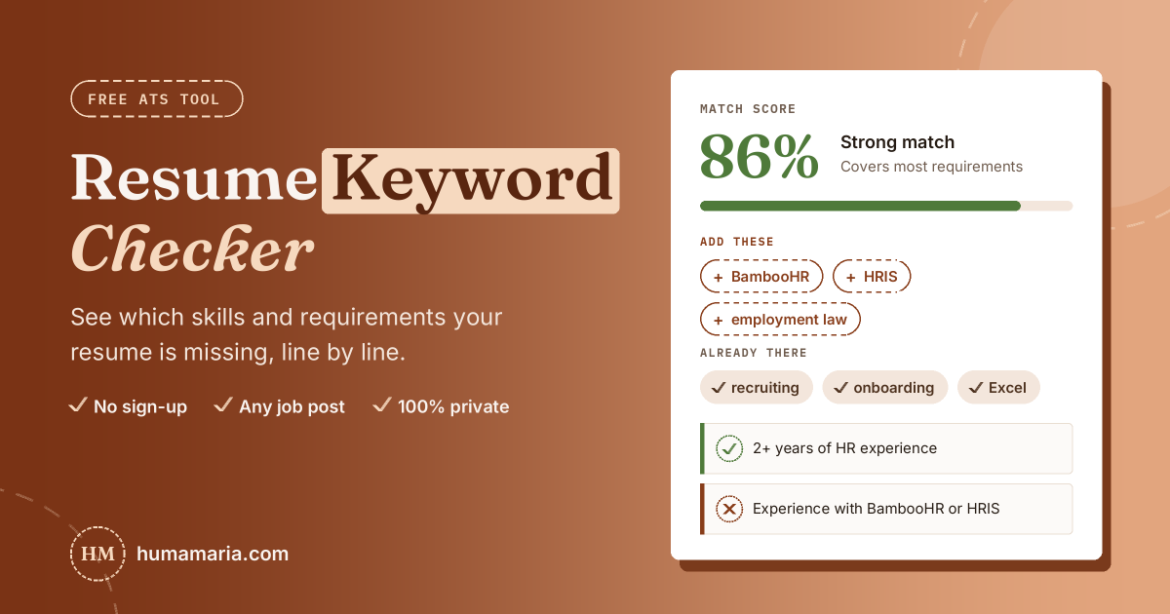
Resume Keyword Checker
Paste a job post and your resume. See which skills, tools and requirements you're missing, line by line, before you hit apply.
Runs in your browser. Nothing you paste is saved or sent anywhere.
Top keywords to add
Most important first. "Must-have" means it's in the job's requirements or repeated in the post. "Partly" means you have the words, just not together.
Requirement by requirement
How your resume covers each line of the job post. ✓ covered · ~ partly · ✗ missing
Already in your resume
How to use your results
- Fix the must-haves first. Only add skills that are true for you. Lying on a resume backfires in the interview.
- Use the job's exact wording. If they say "employee onboarding," don't only write "new hire setup."
- Put the top keywords in your headline, summary, skills section and bullet points.
- Prove skills in bullets: "Ran onboarding for 120 new hires" beats a word in a skills list.
Want a resume that gets past ATS and gets interviews?
Read my resume + AI job search guideThis is a keyword guide, not an official ATS score. Every ATS works a little differently.
Paste a job post and your resume above, and in a few seconds you'll see which words the employer used that your resume doesn't. That gap is often why a solid candidate gets skipped. It's free, there's no sign-up, and nothing you paste leaves your browser.
How to use the resume keyword checker
- Copy the full job description. Include the responsibilities and requirements, not just the title. More text gives you a better keyword list.
- Paste your resume as plain text. Open your file, select all, copy. Formatting doesn't matter here.
- Click "Check my resume." You'll get a match score, the must-have keywords you're missing, and a requirement-by-requirement checklist.
- Fix the gaps that are true for you, then run it again. Do this for every job you really want, not just once.
What your score means
The tool reads the job post the way a recruiter would. It finds the requirements section, pulls out real skills, tools and phrases (think "BambooHR," "employment law" or "A/B testing"), and skips company fluff and benefits. Anything listed under requirements or repeated in the post counts as a must-have. Then it checks your resume line by line, so you see exactly which requirement you're not covering, plus whether your resume shows the years of experience and the job title they asked for.
Roughly: under 50% means your resume reads like it was written for a different job. Between 50% and 74% is decent, but you're missing things this employer clearly cares about. 75% and up is strong.
Don't chase 100%. Some keywords will be things you simply haven't done, and that's fine. A resume that matches every single word usually reads like it was copied from the job post, and recruiters notice.
Do ATS systems really reject 75% of resumes?
Nobody has proven that. The number traces back to Preptel, a resume company that went out of business in 2013, and people who went looking for the data behind it came up empty.
Here's what actually happens. An applicant tracking system (ATS) stores and sorts applications. Recruiters then filter and search inside it, often by typing keywords like "BambooHR" or "payroll." If those words aren't on your resume, you don't show up in their results. So a robot isn't throwing you out. You're just invisible to the person searching.
That's why keywords matter, and why using the job's exact wording beats getting creative with synonyms.
Where to put missing keywords
Your summary. Add two or three of the most important ones, especially the job title. If the post says "HR Coordinator" and that's what you do, write "HR Coordinator," not "people operations specialist."
Your skills section. This is the spot for tools and hard skills: software names, certifications, methods.
Your bullet points. The best place of all. "Managed onboarding for 120 new hires" proves the skill instead of just listing it.
Write acronyms both ways once, like "Human Resources Information System (HRIS)." Some recruiters search the short form, some search the long one.
Mistakes that hurt more than they help
Keyword stuffing. A skills list with 60 words might get you found, then rejected by the human who reads it.
Hiding keywords in white text. This old trick shows up the moment a recruiter copies your resume or the system converts it to plain text. It looks dishonest, because it is.
Adding skills you don't have. You might get the interview. Then you'll get asked about it.
Putting key info in images, text boxes or fancy columns. Some systems can't read them, so those words may as well not be there. A simple one-column layout is the safe choice.
FAQ
Is this resume keyword checker free?
Yes. No sign-up, no limits.
Do you save my resume?
No. The check runs entirely in your browser. Nothing you paste gets sent to my site or anywhere else.
Is this the same as a real ATS score?
No, and be careful with any tool that promises one. Every company sets up its ATS differently. This tool shows how closely your wording matches the job post, which is the part you can actually control.
Does it work for any job?
It works best with job posts written in English. It picks up skills, tools and job titles in any field.
Should I tailor my resume for every application?
For the jobs you really want, yes. Keep one master resume, then spend 10 minutes adjusting the summary, skills and top bullets for each role. That beats sending the same resume to 100 jobs.
Keep going
Once your resume matches the job, the next step is finding the right openings: