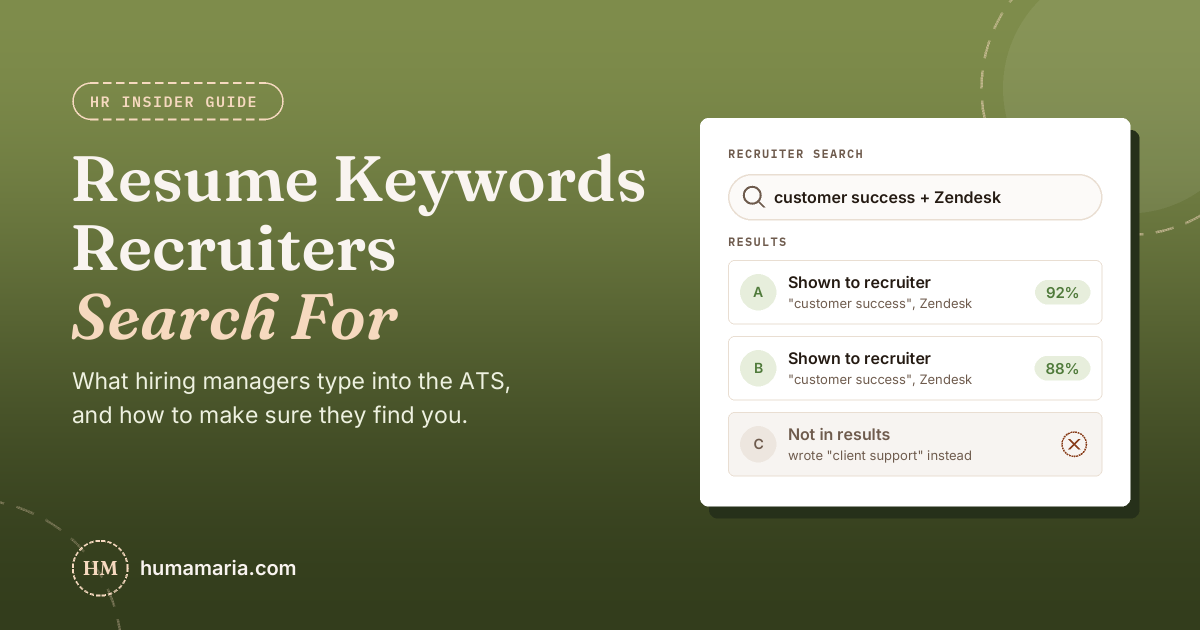
Recruiters search their applicant tracking system the way you search Google. They type in the job title, the must-have tools and a few key skills, then look at whoever comes up. If those exact words aren’t on your resume, you don’t come up, no matter how qualified you are. Here’s how it works from the hiring side, and how to fix your resume for any job in about 10 minutes before you apply.
When I’m filling a role, I don’t start by reading every resume. I open the ATS, search for the job title and the one or two tools the team can’t work without, and begin with whoever comes up. I’ve seen solid candidates sit at the bottom of the pile just because they wrote “people operations” when I searched for “HR,” or “client support” when the job said “customer success.” Their experience was right. Their words weren’t.
What happens to your resume after you click Apply
From the recruiter’s side, it usually goes like this:
- Your application lands in the ATS with everyone else’s. For a remote role, that can mean a long list.
- Knockout questions filter some people out. Things like work authorization, location or a required license. These are yes or no, so answer them honestly.
- The recruiter searches and sorts. They type keywords like “Salesforce,” “customer success” or “bookkeeping,” and the system shows the resumes that match best.
- A human skims the top matches. Fast. They check the job title, recent experience and whether the must-haves are actually there.
You’ve probably heard that an ATS robot rejects most resumes automatically. That claim has no real data behind it. The bigger problem is step 3: if a recruiter searches for a skill you have but never wrote down, your resume simply doesn’t show up.
The 5 kinds of keywords recruiters search for
This works the same whether you’re applying for marketing, customer support, accounting, tech or admin jobs.
1. The job title. This is usually the first thing a recruiter types. If the post says “Customer Success Manager” and that’s what you’ve been doing under a different name, put the job’s title in your headline or summary.
2. Hard skills. The actual work: bookkeeping, SEO, lead generation, account management, data analysis, project management.
3. Tools and software. These are the most searched keywords because they’re so specific: Salesforce, HubSpot, QuickBooks, Zendesk, Excel, Canva, Jira, Shopify, Google Ads.
4. Certifications and licenses. Google Analytics certification, PMP, CPA, a nursing license, SHRM-CP. Write the short and long version once, like “Project Management Professional (PMP).”
5. Work setup and language. For remote jobs especially: remote, time zone overlap, fluent English, bilingual Spanish, asynchronous communication.
How to find the right keywords in any job post
- Read the requirements section first. Anything under “Requirements,” “Qualifications” or “What you’ll need” is what the recruiter will search for. Skip the company intro and benefits.
- List every tool name. If they name it, someone will probably search for it.
- Notice what repeats. A skill mentioned three times matters more than one mentioned once.
- Separate must-have from nice-to-have. “Preferred,” “bonus” or “a plus” means it helps but won’t sink you.
Or do it the fast way: paste the job post and your resume into my free Resume Keyword Checker. It pulls out the must-have skills and tools, checks your resume line by line against each requirement, and tells you if your job title matches. Nothing you paste gets saved.
Keyword examples by job type
These are common examples, not a list to copy. Always go by the job post in front of you.
- Customer support: customer service, ticketing, Zendesk, Intercom, first response time, customer satisfaction (CSAT), escalations, live chat.
- Marketing: content marketing, SEO, email marketing, Google Analytics, Meta Ads, campaign management, copywriting, A/B testing.
- Virtual assistant and admin: calendar management, inbox management, travel booking, data entry, Google Workspace, Microsoft Office, CRM updates.
- Sales: lead generation, pipeline management, cold outreach, Salesforce, HubSpot, quota, account management, closing.
- Finance and accounting: bookkeeping, accounts payable, accounts receivable, reconciliations, QuickBooks, Xero, month-end close, financial reporting.
- Tech and IT: the exact languages and tools listed (Python, SQL, JavaScript, AWS), plus troubleshooting, technical support, documentation.
- HR: recruiting, onboarding, employee relations, HRIS, BambooHR, Workday, payroll, compliance.
Where to put keywords so a recruiter actually notices
Headline and summary. The top third of your resume is what gets read first. Put the job title and two or three of the biggest must-haves here.
Skills section. Tools, software and certifications, in plain text. Not inside an image or a skill bar graphic, because many systems can’t read those.
Bullet points. This is where keywords turn into proof. Compare:
- Before: “Helped customers with their problems.”
- After: “Resolved 40+ customer tickets a day in Zendesk with a 95% satisfaction score.”
The second one has the keywords (customer tickets, Zendesk, satisfaction) and a result a recruiter can picture. Use your own real numbers.
What makes a recruiter skip a resume, even with keywords
Keyword stuffing. A skills list with 50 terms gets you found, then gets you skipped. Recruiters read resumes all day and spot this fast.
No proof. If “project management” only appears in your skills list and nowhere in your experience, it doesn’t count for much.
Hidden white text. It shows up the moment your resume is copied into plain text. It reads as dishonest, and it’s an easy reason to reject.
Only using your own words. “Client happiness” and “customer success” might mean the same thing to you, but the recruiter is searching for the job post’s words. Use them at least once.
Fancy layouts. Text boxes, columns and graphics can scramble when the ATS reads your file. A simple one-column resume is the safe choice.
Your 10-minute checklist before you apply
- Paste the job post and your resume into the Resume Keyword Checker.
- Add the missing must-haves that are true for you, starting with the job title and tools.
- Prove the top two or three skills in your bullet points, with numbers where you can.
- Make your years of experience easy to spot in your summary.
- Run the check again, then apply.
Looking for jobs to apply to? Browse the latest openings on my remote job board. And if you want AI to help with the tailoring part, my guide on using ChatGPT to tailor your resume for remote jobs has ready-to-use prompts. No experience yet? Start with how to get a job with no experience.
FAQ
How many keywords should my resume have?
There’s no magic number. Cover the must-have skills and tools from the job’s requirements section, as long as they’re true for you. For most jobs that’s roughly 10 to 20 relevant terms, spread across your summary, skills and bullets.
Do I need a different resume for every job?
Not a whole new one. Keep a master resume, then adjust the headline, summary, skills and top bullets for each job you really want. That usually takes 10 minutes and makes a real difference in who shows up in a recruiter’s search.
What if I don’t have a skill the job asks for?
Don’t add it. If it’s a nice-to-have, apply anyway. If it’s a must-have, look for the closest real experience you do have and describe it honestly. Recruiters will ask about everything on your resume in the interview.
Is there a free way to check my resume keywords?
Yes. My Resume Keyword Checker is free with no sign-up. Paste any job post and your resume to see which must-haves you’re missing, line by line.
Will a recruiter find your resume?
